Imagine this: You’re building an app with multiple role types and permissions, and you want to surface unique details associated with a set of information to different user types. With Bubble, you could set up a series of conditional statements to accomplish this — or you could use the :formatted as text operator.
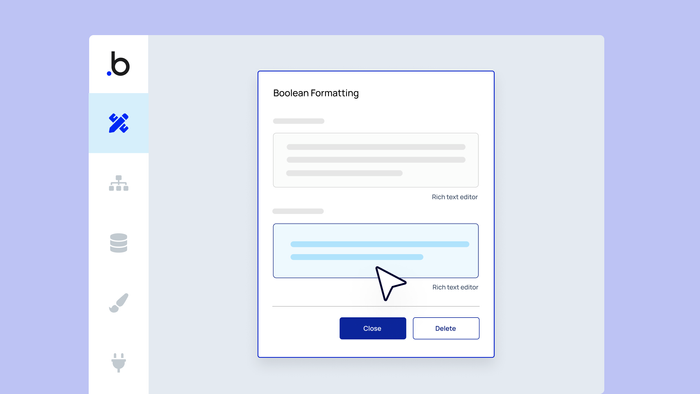
The :formatted as text operator allows you to configure the text displayed anywhere a dynamic expression can be distilled down to a yes/no value. In traditional programming, this is known as a boolean.
Let’s explore how you might use :formatted as text in real life. Use these steps to follow along with the tutorial above.
- Let’s say we’re building a dashboard that displays users on a team. Instead of showing the same information to every team member, we want to add contextual value for the specific user navigating the page. With the :formatted as text operator, we can craft elaborate, dynamic expressions to offer greater insight for the user.
- As an example, we’ll change the text shown in the Team Members repeating group to display a greater variety of dynamic data.
- Right now, the cell’s text only displays the user’s first name. But what if we want the Current User to see their own card more clearly? Or what if we want to show which users are admins?
- Instead of writing multiple conditionals — which could become tedious to manage — we can use the :formatted as text operator.
- This operator lets us vary what text is displayed anywhere a dynamic expression evaluates a yes/no value — otherwise known as a boolean in traditional programming.
- If yes (meaning the card’s user is the Current User), we can have the text say, “You.” If no, we can display the user’s full name.
- The superpower of this operator is that we can now group or nest if/else statements together. For example, we can add an additional if/else statement to see if another user is the team admin. If so, we can display that info accordingly.
- If we don’t want the no condition to add anything, we can leave the formatting input blank.
Happy building!
Build for as long as you want on the Free plan. Only upgrade when you're ready to launch.
Join Bubble